CIPHERAIMG
Encryption that leaves nothing behind.
A local-only desktop app that turns images into containers indistinguishable from random noise without the right key - styled like a vintage green-phosphor terminal, built on real, peer-reviewed cryptography instead of anything custom.
Stack
Overview
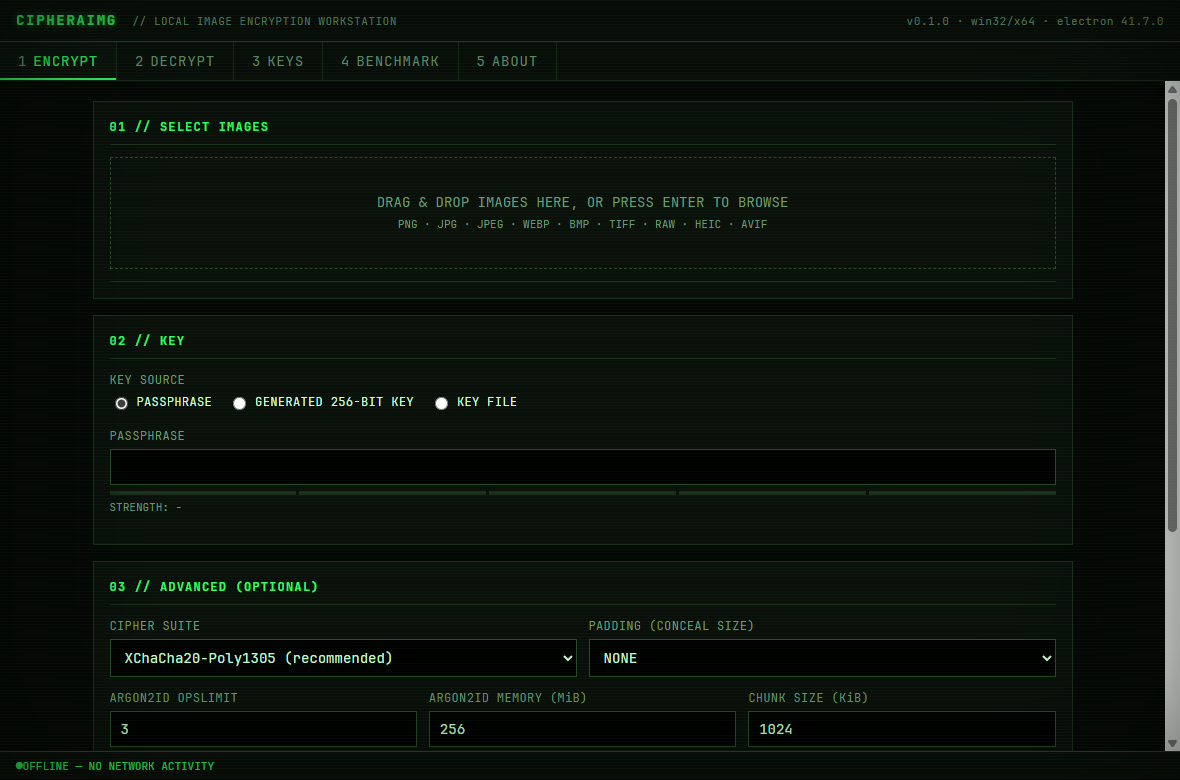
CIPHERAIMG started from a simple premise: an image encryption tool should make it computationally infeasible for anyone but the key holder to recover anything about the original file - not just the pixels, but the dimensions, format, and metadata too. No cloud step, no account, no telemetry, and no invented cryptography standing in for the real thing. The interface follows the same logic: a monochrome terminal aesthetic with no gradients or soft, generated-feeling UI chrome, because the tool is meant to read as engineered rather than decorated.
Objectives
- Build a real multi-layer encryption pipeline (Argon2id, HKDF, XChaCha20-Poly1305/AES-256-GCM) instead of a thin wrapper around a single library call
- Make the app provably offline - block outbound network requests at the session level, not just avoid writing fetch calls
- Design a container format and UI that expose real parameters (cipher suite, KDF cost, padding) to advanced users without confusing everyone else
Process
Designed a custom .cimg container format with a minimal plaintext header and everything else - filename, format, true size - sealed inside encrypted metadata, then documented the full byte layout as a spec rather than leaving it implicit in the code.
Built the crypto core (key derivation, chunked authenticated encryption, Shamir secret sharing, EXIF stripping) as a standalone TypeScript module with zero Electron or DOM dependencies, covered by unit tests plus property-based fuzz tests aimed specifically at the container parser.
Wired it into an Electron app with a sandboxed, contextIsolated renderer talking to the crypto layer only through a narrow typed IPC bridge, then packaged it as a standalone Windows executable with the bundled JS obfuscated before distribution.
Results
- A working desktop app with encrypt/decrypt, batch mode, three key-entry methods, split-key recovery, an in-app crypto benchmark, and a from-scratch password strength estimator.
- 68 automated tests, including fuzz tests that assert the container parser never crashes on malformed input, only ever rejects it cleanly.
- A documented threat model and cryptographic rationale (docs/SECURITY.md) written the way I'd want to read one before trusting a tool with something that matters.
Learnings
The interesting problems weren't the ciphers - libsodium and Node's crypto module already get those right. They were everywhere else: framing chunked ciphertext so truncation is always detected, keeping the true file size out of the plaintext header while still supporting optional padding, and being honest in the docs about exactly where memory-zeroing and EXIF stripping do and don't reach. A security tool's credibility comes from what it admits it can't do as much as from what it can.
Gallery
Curious about this project?
I build tools and interfaces with the same care I put into every project. Let's talk.